
Crimson Desert allows players to tinker with the default game camera settings to personalize the experience to suit their tastes. The possible changes you can make to the camera are how far out the camera is in relation to the player character, as well as its vertical and horizontal orientation.
The following are some of the best camera setups we’ve come up with. Every person’s preference is different, however, which means these might not be exactly what you were looking for, but they should give you a good base to build off of and customize.
How to Hide Weapons & Shields in Crimson Desert
Pearl Abyss has added the ability to hide weapons and shields from your back in Crimson Desert, and here’s a quick guide on how to do it.
To change Camera Settings in Crimson Desert, go to Others → Options → Settings → Accessibility and change Camera Visual Range, Camera Vertical Offset, and Camera Horizontal Offset as desired.
Updated May 3, 2026, by Hamza Haq: Crimson Desert’s 1.04 update added a new adjustable camera setting that changes how players can customize their personal camera. This article has been updated to include the new setting as well as an additional isometric-like camera setting for players to try out.
Best Overall Camera Settings for Crimson Desert
Best for Balanced Gameplay
- Camera Visual Range: 78
- Camera Distance: 73
- Camera Vertical Offset: 0
- Camera Horizontal Offset: 63
In this camera setting, the character you control is more centralized and in focus, but they don’t take up major screen real estate while doing so. Players get to see the cool armors they’ve equipped their character with while still having the ability to see the surrounding environment in detail.
It is a middle-of-the-road approach that is suitable for combat and exploration. It fixes the main problem plaguing the default camera setup in Crimson Desert, that being a lack of focus on the playable character, without making any major sacrifices.
Over-the-Shoulder Camera Settings for Crimson Desert
Best for God of War/The Witcher 3 Fans
- Camera Visual Range: 70
- Camera Distance: 0
- Camera Vertical Offset: 0
- Camera Horizontal Offset: 50
For fans of The Witcher 3, God of War, and other over-the-shoulder RPGs where the camera is just behind the main character overlooking their right shoulder, this is the perfect setting. High visual range ensures that even though your character takes up a large part of the screen, the FOV remains unaffected.
Wide Field of View Camera Settings for Crimson Desert
Best for Puzzle Solving and Exploration
- Camera Visual Range: 100
- Camera Distance: 100
- Camera Vertical Offset: 0
- Camera Horizontal Offset: 25
These settings give the widest possible view of the environments in Crimson Desert, drastically expanding the field of view to the point where characters become minuscule, close to the camera settings you typically see in top-down games.
If you zoom in the camera by a level, it gets closer to the player character but retains the wide FOV to keep awareness of the surroundings at a maximum.
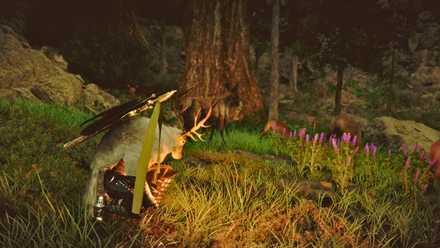
Crimson Desert: How to Get the Reindeer Cloak (Deer Disguise)
Reindeer Cloak is one of the most helpful disguises in Crimson Desert, which allows you to blend in with the wildlife without scaring them off.
Centered Camera Settings in Crimson Desert
Best for Traditional Open World RPG-Feel
- Camera Visual Range: 100
- Camera Distance: 35
- Camera Vertical Offset: 10
- Camera Horizontal Offset: 10
For players looking for the old-school character-centric camera that keeps the protagonist locked to the center of the screen, this camera setting is the answer. It puts Kliff, or whichever playable character you’re controlling, in the dead center of the screen, while zooming the camera in by a fair bit.
If you want a wider field of view, turn the Visual Range setting up by 5-15 additional points. This will, however, make it so that the main character is a bit farther away from the screen.
Extreme Close-Up Camera Settings for Crimson Desert
Best for Highlighting Close Combat
- Camera Visual Range: 20
- Camera Distance: 0
- Camera Vertical Offset: 0
- Camera Horizontal Offset: 20
This camera setting is for players who want to see the action up close and personal and experience the many abilities, moves, and skills characters use in combat in their full glory. A major downside, however, is that the FOV is drastically reduced, severely limiting what you can see of your surroundings.
Bumping up the Camera Visual Range fixes that problem somewhat, but the more you increase it, the less “close-up” the camera becomes. It’s a balancing act, and 20 is the sweet spot we’ve found.
Diablo-Style Camera Settings for Crimson Desert
For Top-Down Isometric Gameplay
- Camera Visual Range: 0
- Camera Distance: 100
- Camera Vertical Offset: 0
- Camera Horizontal Offset: 0
If you tilt the camera down with these settings, it appears as if you’re playing a top-down isometric game like Diablo, giving a completely different flavor to the gameplay. That camera setting shines mainly during combat scenarios.
It doesn’t really work that well for exploration since almost all puzzles and points of interest in Crimson Desert require you to have a proper look around.

- Released
-
March 19, 2026
- ESRB
-
Mature 17+ / Blood, Drug Reference, Intense Violence, Strong Language
- Developer(s)
-
Pearl Abyss
- Publisher(s)
-
Pearl Abyss


