
Screenshot by Destructoid
Your own speed traveling network.

|
Ziplines are the ultimate traversal tool available in Arknights Endfield, and you can create your own to navigate the challenges of the course terrain on Talos-II.
Ziplines are introduced in the tutorial itself, but those are pre-created structures that teach you how to use them. Once you make sufficient in-game progress, you’ll be able to unlock and create your own ziplines.
How to unlock Ziplines in Arknights Endfield
To create your own ziplines, you’ll need to unlock them. It’s available as a talent, but you’ll need to clear a certain amount of gameplay.
- Unlock the Paving the Way quest along the main storyline. You can’t miss this quest, but it takes a few hours to reach this point.
- You must have two talent points.
- Unlock the Building Talent tree.
There are different ways to obtain talent points, which include interacting with unique objectives, Protocol Dataloggers, and more.
So, how exactly do you unlock Ziplines from the Building Talent tree? Well, the process is quite simple.
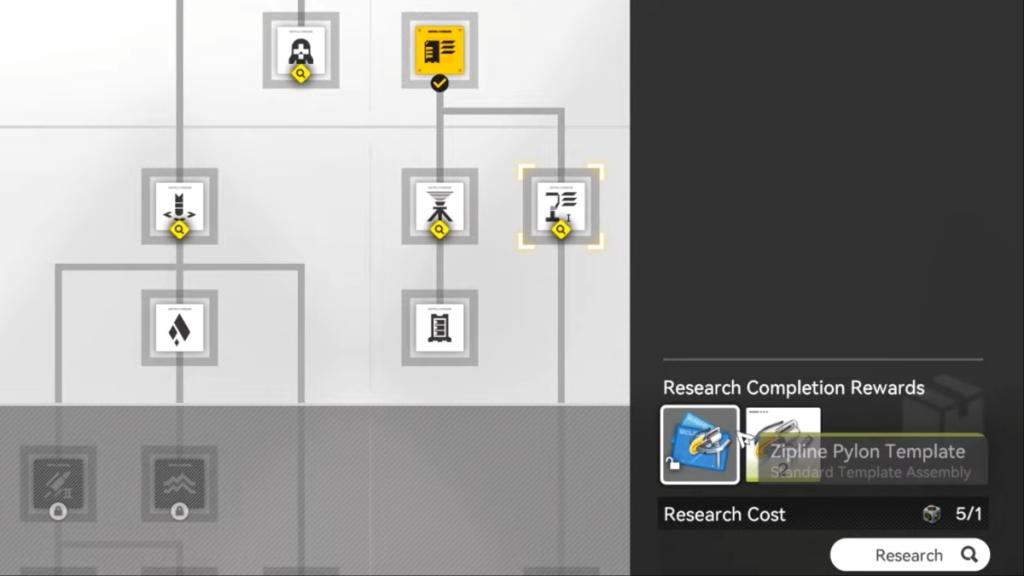
- Press T to open the building talent interface.
- Switch to the view that shows you infrastructure and construction talents.
- Scroll to the left, and go to the extreme-right of the talent trees. The zipline talent remains hidden by default. It’s also known as the Field Mobility talent, if you get confused on the talent tree
- You’ll be able to unlock it by spending two talent points.
Once unlocked, you’ll be able to build ziplines across the map.
How to build ziplines in Arknights Endfield
Unlocking ziplines completes only the first part of the task. To create a network, you’ll need to establish several ziplines in a strategic fashion.
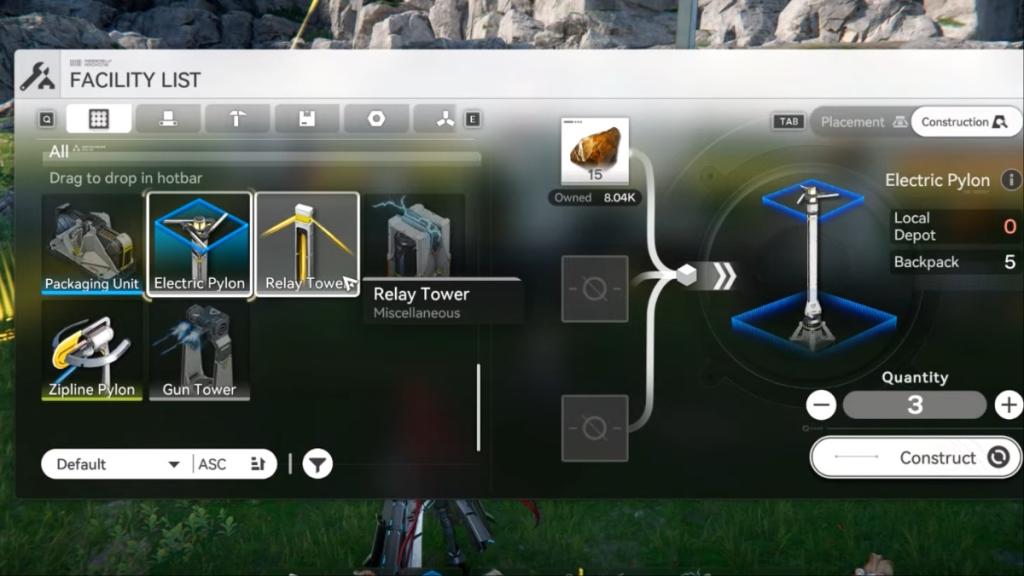
- Open the construction menu from where you can place infrastructure-related buildings.
- Aside from zipline pylons, you’ll also need electric pylons and relay towers.
- To construct them, you’ll need the respective materials in your inventory.
- First, place the ziplines. The next zipline pylon must be within 80 meters of the other. Keep the terrain texture, elevation, and other factors in mind.
- The first zipline pylon should be placed in your base (traditionally). From there, keep placing more pylons in the direction you want to travel. Keep the 80-meter distance factor in mind.
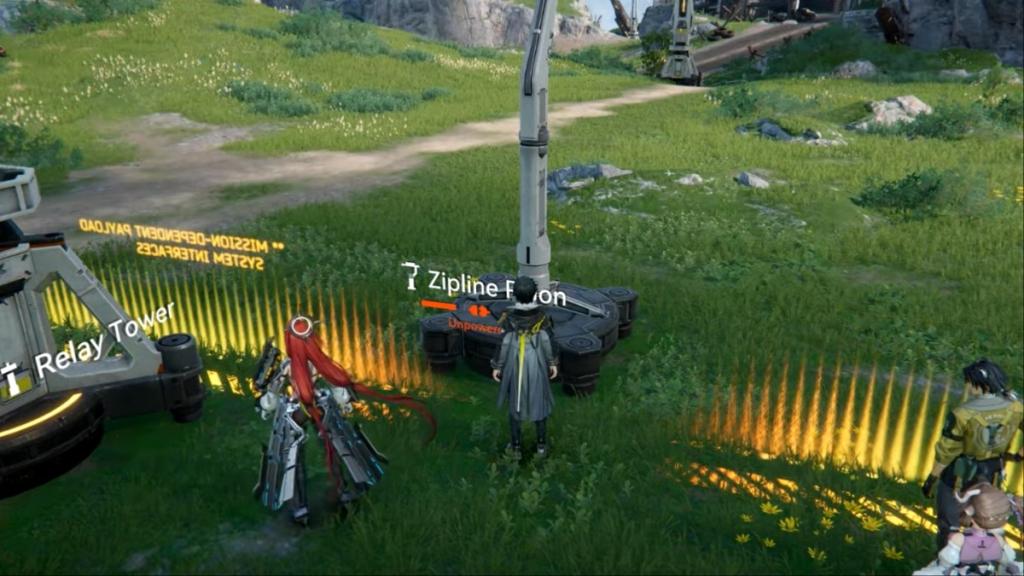
The next part involves powering these zipline pylons that you have set up.
- Place electric pylons near the zipline pylons to power them.
- To power the distant electric pylons, you’ll need to use relay towers to extend the power.
- Interact with the relay tower to initiate power transmission. You’ll also need to route power cables as applicable.
- Once done, connect the electric pylon with the zipline pylon.
The zipline becomes completely functional once it has power, and you can use it freely to travel across Talos-II. However, ziplines can be damaged. In that case, either you or other players will be able to repair the ziplines, which grants them Reputation Points. Yes, all zipline networks will be shared across players playing in a common world.


Published: Jan 23, 2026 02:33 am